
Cart items:

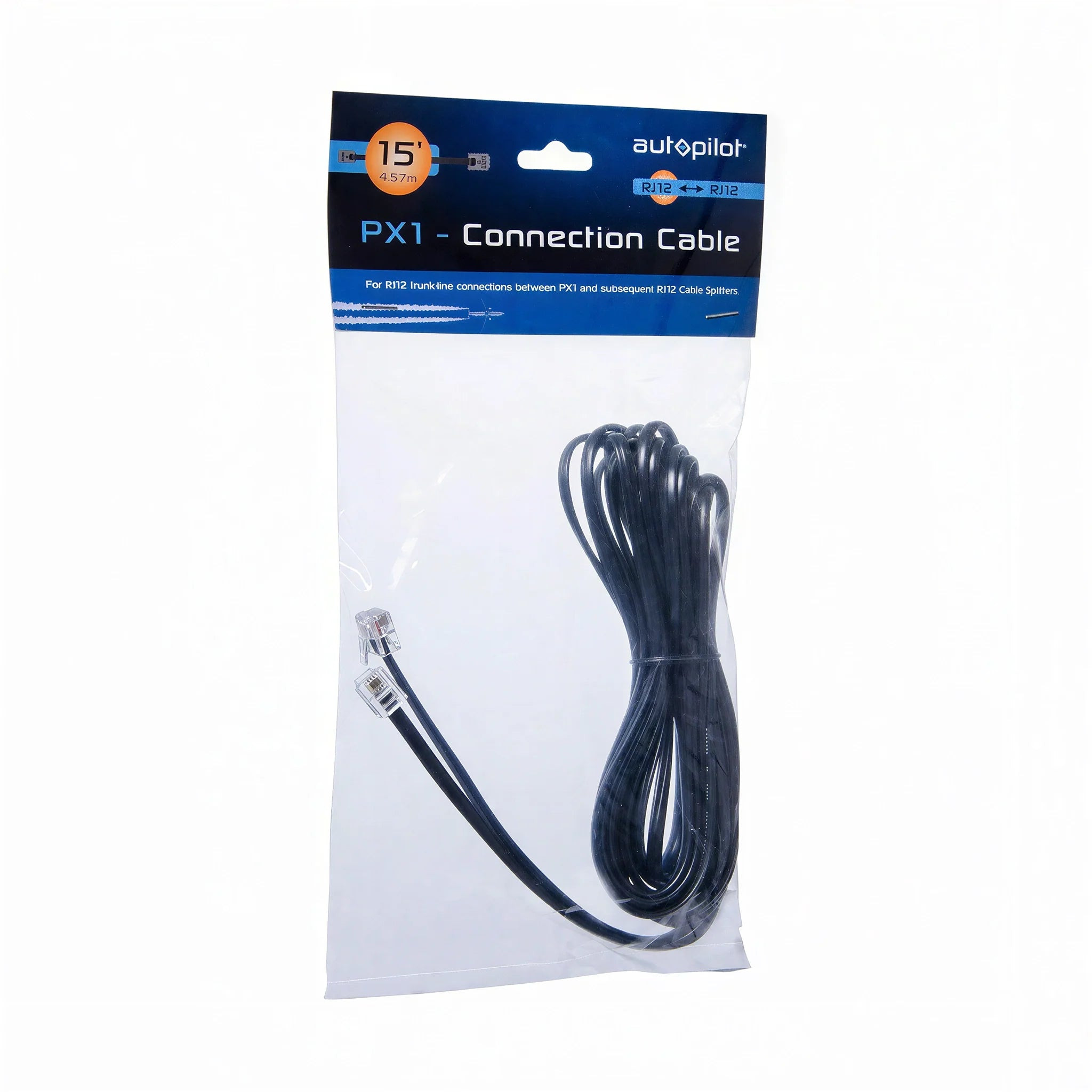
Autopilot RJ12 to RJ12 Cable - 15-ft
APRJ1215

With a strong portfolio of manufactured and distributed brands, we are one of the lead...
City: US, Shoemakersville
Our Advantages
- Competitive Price Matching
- Fast & Discreet Shipping (2-3 days)
- Safe & Secure Shopping
- High Quality Trusted Brands
Buying Multiple Units?
ACH Payments Available
Connect Your Autopilot PX1 Controller to RJ12 Splitters With a 15-Foot Trunk-Line Cable
The Autopilot PX1 lighting controller communicates with individual ballasts and fixtures through a trunk-line network of RJ12 cables and splitters. This 15 feet RJ12-to-RJ12 cable serves as the trunk-line connection between the PX1 controller and the first RJ12 splitter, or between subsequent splitters in the chain.
The 15-foot length gives installation flexibility in grow rooms where the PX1 controller and the nearest splitter are not in close proximity. Use shorter cables for compact rooms and longer cables for facilities where equipment is spread across a large area.
Note: this cable is also compatible with the Autopilot APCECO2 CO2 controller and its remote CO2 sensor, providing an additional use case in facilities where both lighting and CO2 control are managed through the Autopilot system.
Key Features & Benefits
- RJ12 to RJ12 connectors — both ends are standard RJ12, making trunk-line connections between the PX1 controller and RJ12 splitters in the lighting control network.
- 15 feet cable length — provides 15 feet of reach between connection points, accommodating a range of grow room layouts and equipment placement configurations.
- PX1 lighting controller compatible — used with the Autopilot PX1 Advanced Lighting Controller for trunk-line daisy-chain wiring of ballasts and fixtures.
- APCECO2 CO2 controller compatible — also compatible with the Autopilot APCECO2 CO2 controller and its remote sensor cable for CO2 monitoring applications.
- Part of a complete cable system — pairs with the Autopilot RJ12 Splitter (APRJ12SP) and RJ12-to-USB cable (APRJUSB15) to complete the PX1 control network.
Who Should Use the Autopilot 15-Foot RJ12-to-RJ12 Cable
Growers using the Autopilot PX1 Advanced Lighting Controller who need to run a 15 feet trunk-line connection between the controller and RJ12 splitters or between splitters in the daisy-chain network.
Building the PX1 Lighting Control Network
The PX1 controller connects to the first RJ12 splitter via a trunk-line RJ12-to-RJ12 cable. Each splitter then connects to the next splitter or to a ballast's USB port using an RJ12-to-USB cable. Use the appropriate cable length at each stage to keep runs tidy and within the supported wiring distance.
About Autopilot
Autopilot, a Hydrofarm exclusive brand, has built digital lighting control systems for commercial grow operations for more than a decade. This cable is part of the wired infrastructure — cables, splitters, and connectors — that the brand offers to build out a complete PX1 control network.
Frequently Asked Questions
- What is the difference between the 15-foot and 50-foot versions of this cable?
- The cables are identical except for length — both are RJ12-to-RJ12 with the same connectors and the same compatibility. Choose the length that fits your grow room layout.
- Can I use this cable for something other than the PX1 lighting controller?
- Yes — both the 15-foot and 50-foot versions of this cable are also compatible with the Autopilot APCECO2 CO2 controller and its remote CO2 sensor connection. Use whichever length matches the distance between the controller and its connection point in your grow room.
- Do I need one cable per ballast, or one cable for the whole system?
- The RJ12-to-RJ12 cable makes trunk-line connections between the PX1 controller and RJ12 splitters. Individual ballasts connect to the splitters via separate RJ12-to-USB cables (APRJUSB15) — not directly via this cable.
- What other cables and accessories complete the PX1 control network?
- The PX1 control network uses this RJ12-to-RJ12 trunk cable to reach the splitters, the RJ12 Splitter (APRJ12SP) to branch the signal, and RJ12-to-USB cables (APRJUSB15) to connect each splitter output to a Phantom ballast's USB port. Together these three components form the complete wired path from the PX1 controller to each individual ballast.
- When do I need the 50-foot cable instead of the 15-foot version?
- Use the 15-foot cable when the PX1 controller and its splitters sit close together, and step up to the 50-foot cable when the run has to cross a larger room or reach a splitter mounted farther away. Both lengths use the same RJ12-to-RJ12 connectors, so the choice is purely about matching cable length to the physical layout.
Brand
Autopilot
GTIN
638104019323
Product weight
0.17 lb
Length
7.8 in
Width
5.5 in
Height
0.5 in
Returns
30-day returns
No reviews found
Please sign in so that we can notify you about a reply